
 By Echaoui
I’ve tested dozens of AI tools over the past year. My goal was to find the best ai productivity tools for real-world use. The market is full of choices, and I aimed to help you find the right one.
Choosing the right tool used to be hard. With so many options, it’s easy to feel lost. I created this guide to share my experiences with you. I’ve tried everything from writing assistants to meeting transcription tools.
This guide compares ai productivity tools side by side. We’ll look at writing assistants like ChatGPT and Jasper. We’ll also explore project management and email tools. Plus, I’ll include both free and paid options to fit your budget.
This guide is different because I share how these tools work in my daily life. You’ll get real insights, not just lists of features. I aim to help you find a tool that fits your work style and needs.
By the end of this guide, you’ll know which tools are best for you. You’ll understand their strengths and feel confident in your choice. No more feeling overwhelmed by all the options.
Key Takeaways
- Testing dozens of AI tools helped me find the ones that actually boost productivity
- The best ai productivity tools depend on your specific work needs and budget
- Free versions often give you enough to start, while paid plans unlock advanced features
- Writing assistants, project management tools, and communication apps each serve different purposes
- Matching a tool to your work style matters more than picking the most popular option
- This guide covers all major categories so you get a complete picture of what’s available
- You’ll learn how to choose between top options like ChatGPT, Jasper, and Copy.ai
Why I Started Using AI Tools to Boost My Daily Productivity
I was drowning in work. Every morning, I’d open my computer and feel that familiar weight settle on my shoulders. My inbox had hundreds of unread emails. Repetitive tasks consumed hours of my day. I spent more time on administrative work than on projects that actually mattered. The frustrating part was knowing that I had enough time in theory—I just couldn’t seem to use it effectively.
My days looked something like this:
- Writing the same responses to common questions
- Manually organizing project details into spreadsheets
- Sorting through endless email chains
- Taking notes during meetings and typing them up later
- Struggling to prioritize between urgent and important tasks
I felt stuck. I wasn’t lazy or disorganized. I was just overwhelmed. That’s when a colleague mentioned AI productivity tools. I’ll be honest—I was skeptical. AI seemed like hype. Would these tools really work, or would they just add another layer of complexity to my already chaotic workflow?
I decided to experiment. After comparing different ai productivity tools compared on the market, I started small with one platform. The results surprised me. Within days, I noticed a real productivity boost. Tasks that used to take me hours were completed in minutes. Suddenly, I had time for meaningful work.
That first week of experimenting changed everything. I wasn’t a tech expert before this journey. I was just someone looking for practical solutions. What I discovered was that the right ai productivity tools compared could actually deliver real results. My productivity boost wasn’t just numbers on a spreadsheet—it was my sanity returning and my work quality improving.
Understanding What AI Productivity Tools Can Actually Do for You
When I first found AI productivity tools, I thought they’d do all my work. But, they actually do something much better. They use smart learning and language to get what I need and do tasks that need human thinking. It’s key to know what they can and can’t do.
AI tools are great helpers, not replacements for my decisions. They’re good at doing the same thing over and over, sorting info, and coming up with ideas. But, they can’t get my business or make big decisions without me. Knowing what to expect helps me use them best.
Time-Saving Capabilities That Make a Real Difference
The time I save with AI tools is really impressive. Here’s how it changed my work:
- Email drafting dropped from 20 minutes to 3 minutes per message
- Document summarization that used to take 45 minutes now takes 2 minutes
- Content outline generation went from 30 minutes to 5 minutes
- Data entry tasks are now completed in seconds instead of hours
These savings add up quickly. In a week, I save 8 to 10 hours. I can use that time for creative work and big thinking. The tools handle the boring stuff so I can focus on what’s important.
Automation Features I Use Every Day
Daily automation is key to my work. I’ve set up systems that work without me:
| Automation Task | What It Does | Time Saved Weekly |
|---|---|---|
| Meeting Transcription | Automatically converts recorded meetings into text documents | 3 hours |
| Email Sorting | Groups incoming emails by topic and priority | 2 hours |
| Task Creation | Turns email requests into calendar tasks automatically | 1.5 hours |
| Smart Scheduling | Finds meeting times and blocks calendar automatically | 2.5 hours |
These tools work quietly in the background. I set them up once and they keep going. This lets me focus on important decisions and creative projects. Learning to use them took time, but the benefits are huge.
AI Productivity Tools Compared: A Detailed Look at Top Options
When I began looking for ways to improve my work efficiency, I found comparing AI tools wasn’t easy. It wasn’t just about looking at features. I needed a way to see how these tools work in real life. My goal was to find tools that make a difference when you’re under tight deadlines and juggling many projects.
I tested each tool in real work situations, not just in demos. This hands-on approach helped me see what truly matters. I consider ease of use, how well they fit with my current software, their accuracy, pricing, customer support, and learning resources. These factors help me find tools that offer real value.
In this guide, I’ve sorted AI tools by category. This is because different work styles need different tools. I’ll explore six main areas that cover all aspects of productivity:
- Writing and content creation tools
- Project management and task organization platforms
- Communication and meeting assistants
- Research and data analysis solutions
- Design and visual content generators
- Coding and development helpers
I’ve included tools at various price points because I work with different groups. Solopreneurs, freelancers, small business owners, and corporate teams all have unique needs and budgets. The next sections will dive into specific categories with detailed reviews of top tools. I’ll share my experience with what works best in real-world scenarios.
Writing and Content Creation Tools That Changed My Workflow
Discovering the right ai writing tools has changed my content creation game. What used to take hours now takes just minutes. I no longer get stuck staring at blank pages.
These tools handle everything from brainstorming to polishing final drafts. My workflow is now smoother, faster, and more creative than ever.
The magic of ai writing tools lies in their versatility. Each tool has its own strengths. Some are great for long-form content like blog posts. Others excel at short, punchy copy for social media.
Some specialize in creative storytelling, while others focus on business and technical writing. Knowing which tool to use for each task keeps me productive.
Best AI Writing Assistants for Different Needs
Not all writing assistants are the same. I’ve found that using the right tool for the right job makes a big difference. Here’s what I’ve learned about different types of content creation ai solutions:
- Long-form content tools help me draft comprehensive blog posts and articles with proper structure and flow
- Short-form specialists quickly generate catchy social media posts and advertisement copy
- Creative writing assistants inspire storytelling and help develop character voices
- Business writing tools ensure professional tone for emails, proposals, and reports
Each category of ai writing tools brings unique strengths to my content creation process. For detailed how-to articles, I use tools designed for long-form content. For Instagram posts, I use short-form specialists. This approach keeps my writing sharp and focused on the audience.
How I Choose Between ChatGPT, Jasper, and Copy.ai
Three powerhouse platforms dominate my workflow: ChatGPT, Jasper, and Copy.ai. Each serves distinct purposes in my content creation ai arsenal.
| Tool | Best For | Key Strength | Ideal When |
|---|---|---|---|
| ChatGPT | Research and brainstorming | Conversational and versatile approach | I need deep exploration of ideas or detailed research |
| Jasper | Brand consistency | Built-in templates and brand voice features | I’m managing multiple content pieces with the same brand tone |
| Copy.ai | Marketing copy speed | Quick generation of multiple variations | I need fast results for ads or promotional content |
ChatGPT is my go-to for exploring new topics. Its conversational nature lets me ask follow-up questions and dive deeper into subjects. I use it for research, outlining, and understanding complex ideas before I write.
Jasper shines when I’m creating multiple pieces that need consistent brand voice. The platform maintains my style across different posts, articles, and marketing materials. This saves me hours of editing because everything already sounds like me.
Copy.ai wins when speed matters. I use it for quick marketing variations, testing different headlines, or generating multiple ad copy options. It’s my speed weapon for time-sensitive campaigns.
Being honest, these tools aren’t perfect. They sometimes produce generic content. They occasionally miss nuance that human writers capture naturally. That’s why I always edit and personalize the output. The best approach combines ai writing tools with my human judgment to create something truly exceptional.
Project Management and Task Organization AI Solutions
Managing multiple projects used to be a huge challenge. I spent hours juggling deadlines and tracking progress by hand. But then, I found ai project management tools that changed everything. These tools do more than just list tasks. They help me make better decisions about my work.
Using tools like Motion made a big difference. It sorts my tasks into my calendar based on priority and my schedule. If meetings go long, it reschedules tasks for me. This saves me a lot of time each week.
What sets these task organization tools apart is their ability to learn from me. They suggest the best times for focused work and predict task times based on past data. Tools like Notion AI and ClickUp’s AI writing assistant make organizing and writing tasks easier. Asana’s AI helps balance workloads across my team.
It takes some time to get used to, but the benefits are huge. I get smart notifications, delegate tasks better, and make progress reports quickly. These tools also help teams by suggesting who should do what based on their skills and availability.
- Automatic task scheduling and rescheduling
- Intelligent workload balancing across team members
- Predictive timeline and bottleneck identification
- Auto-generated status updates and reports
- AI-powered task prioritization based on deadlines
Switching to AI-driven project management takes patience, but it’s worth it. I now have more time to focus on my work, not just managing tasks.
Communication and Meeting AI Tools I Can’t Live Without
Meetings and emails used to take up my whole day. I’d write notes fast, but miss important points. My inbox was full, and finding info was hard.
Then, I found ai communication tools. They saved me hours and made team communication better.
Using meeting assistants and transcription software changed everything. I could focus on talks, not notes. My emails were managed better, keeping my inbox tidy.

Transcription and Note-Taking Assistants
Otter.ai was my first find. It transcribes talks live and marks who’s speaking. I could listen fully, knowing I’d get the details later.
Fireflies.ai is my next go-to. It makes meeting summaries automatically. I get clear notes right after each meeting.
Fathom helps share meeting highlights. It lets me send key moments to team members who missed the meeting.
Email Management Tools That Save Me Hours
SaneBox sorted my email mess. It filters out unimportant emails, keeping my inbox focused.
Superhuman suggests quick replies and the best times to send emails. Gmail’s Smart Compose and Smart Reply help me respond fast and well.
| Email Tool | Key Feature | Time Saved | Best For |
|---|---|---|---|
| SaneBox | Intelligent email filtering and prioritization | 2-3 hours weekly | Reducing inbox overwhelm |
| Superhuman | AI response suggestions and send time optimization | 1-2 hours weekly | Faster email composition |
| Gmail Smart Features | Auto-complete suggestions and smart replies | 45 minutes weekly | Quick response generation |
My email workflow is now efficient:
- SaneBox filters emails for me
- I check important emails first
- Smart suggestions help me write fast
- Messages archive based on my settings
- Important follow-ups are never missed
These tools save me about four hours a week. I respond quicker, write better emails, and keep my inbox clean. My team gets thoughtful responses, and I’m more productive.
How I Match AI Tools to My Specific Work Style
Finding the perfect AI tool isn’t about picking the most popular option. It’s about understanding your personal productivity style and what actually works for you. I learned this lesson the hard way after trying dozens of tools that looked amazing on paper but never stuck around in my daily routine.
The real secret to choosing the right AI tool lies in honest self-assessment. Before I commit to any new software, I ask myself key questions about how I work best.
My personal productivity style values speed and simplicity. I need tools that integrate seamlessly with software I already use every day. Tools that require too much mental energy to navigate simply don’t work for me, no matter how powerful their features might be.
Different work styles benefit from different AI solutions:
| Work Style | Key Preferences | Best AI Tools |
|---|---|---|
| Visual Thinkers | Strong visual interfaces, easy-to-understand layouts | Miro AI, Figma with AI plugins |
| Detail-Oriented People | Documentation tracking, comprehensive organization | Notion AI, Microsoft OneNote |
| Fast-Paced Multitaskers | Quick response times, seamless integration | Superhuman, Zapier with AI |
| Deep-Work Focused | Minimal interruptions, intelligent scheduling | Motion, Forest Focus AI |
I’ve ditched tools that seemed perfect but disrupted my workflow. A fancy project management AI looked promising until I realized it forced me into a rigid system that clashed with how I actually work. Instead, I found success with simpler tools that bend to fit my needs rather than the reverse.
Consider these factors when you choose the right AI tool for yourself:
- Does it match your preference for visual versus text-based organization?
- Can you customize it to fit your workflow?
- Does it work well for your specific industry or job?
- Does the interface feel intuitive without draining your energy?
- Will it integrate with the tools you use daily?
Your personal productivity style should guide every AI tool decision you make. Don’t chase features you’ll never use. Focus instead on finding tools that enhance rather than disrupt your natural workflow. Test tools before fully committing. Give them real time in your actual work before deciding they’re not right for you.
“The best tool is the one you’ll actually use consistently, not the one with the longest feature list.”
Take time to think honestly about your work habits and pain points. What frustrates you most about your current process? Which tasks drain your energy? Understanding these details helps you choose the right AI tool that truly fits how you work, not how someone thinks you should work.
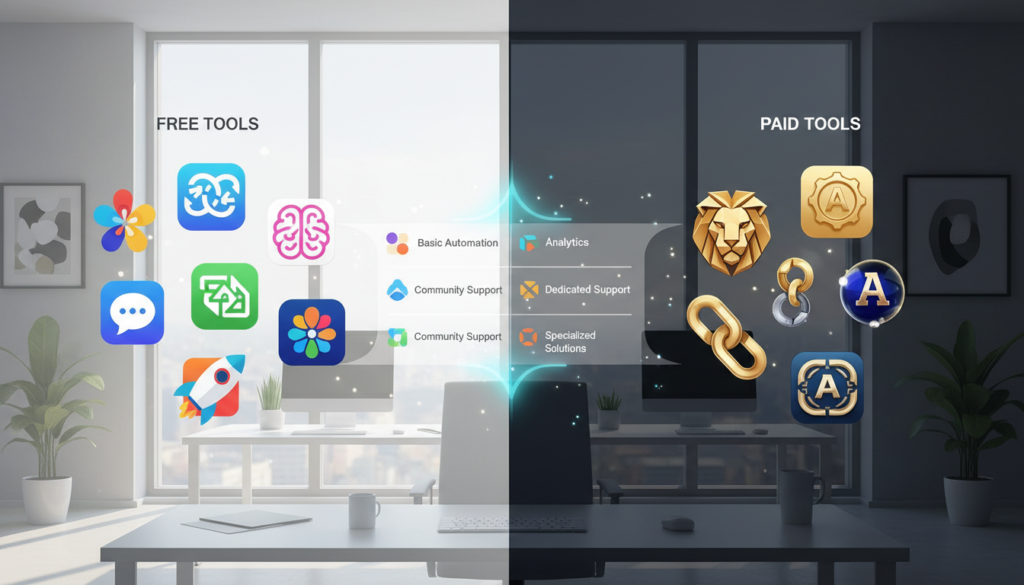
Budget Considerations: Free vs. Paid AI Productivity Tools
Choosing between free and paid AI tools depends on your needs and work style. The cost of AI tools can add up fast if you use many daily. I’ve had to make smart choices about where to spend my money to get the best results.
I figure out if a tool saves me enough time to be worth the cost. Some tools are free and offer great value, while others need a paid subscription for full use. It’s important to know which features you really need versus those that just sound good.
When Free Versions Are Enough
Free versions work well for many situations. ChatGPT’s free tier helps with writing and brainstorming for occasional use. Notion’s free plan is great for personal task management. Grammarly’s free version catches most writing errors without the cost.
Free ai tools are good when:
- You’re just starting with AI tools
- You use tools only sometimes
- You’re testing if a tool fits your workflow
- You work alone without needing team tools
- You only need basic features for simple tasks
Premium Features Worth Paying For
I’ve paid for upgrades that really improved my productivity. Knowing the cost of AI tools helps make smart choices about which upgrades are worth it.
| Premium Feature | Productivity Impact | Best For |
|---|---|---|
| Unlimited usage | Removes workflow interruptions | Heavy daily users |
| Advanced integrations | Connects your entire tech stack | Complex workflows |
| Priority processing | Faster response times | Time-sensitive work |
| Team collaboration | Enables group projects | Working with others |
| Advanced customization | Tailors tools to your needs | Specialized use cases |
Paid ai tools were worth it when free versions limited my work. I started with free tiers for ChatGPT, Jasper, and Copy.ai before upgrading. The paid versions offered unlimited requests and better integrations with my tools.
I’m honest about upgrades that didn’t impress me. Some premium features looked great but didn’t save me time. I make sure to test thoroughly before committing to annual subscriptions.
Your budget strategy should fit your work style. Calculate your hourly value and see if a tool saves enough time to justify its cost. This way, you avoid spending on tools you won’t use and invest in solutions that boost your productivity.
Making Your Final Choice: My Personal Selection Framework
Exploring many ai productivity tools can be both exciting and overwhelming. I felt the same way when I began my journey. The key is to have a clear plan to narrow down your choices and find tools that fit your life.
Here’s how I select ai tools. First, list your top three productivity pain points. Be specific about what slows you down or frustrates you each day. Second, look at the tool categories in this guide and pick the ones that address your biggest challenges. Third, create a shortlist of two or three tools in each category that fit your budget and work style.
Fourth, use the free trials to test these tools in your real work, not just in demos or practice scenarios. Fifth, after one week of genuine use, ask yourself important questions. Did this tool save me actual time? Was it easy to add to my existing workflow? Do I naturally reach for it, or do I have to force myself to use it?
Your productivity tool decision should be based on what you need, not what everyone else uses. There’s no one-size-fits-all answer. I recommend starting small with just one or two tools rather than trying to change your entire system at once. Give your chosen tools at least 30 days before deciding if they work for you.
The goal is to work smarter and spend less time on boring tasks. I started exactly where you are right now, unsure about which tools to pick. Taking that first step to test ai productivity tools compared was one of the best choices I made for my career. Revisit this guide whenever your needs change, since new tools and features come out all the time.